Blog

  • $3,000 IRS Tax Refund Schedule 2025 – Truth vs Rumor

    $3,000 IRS Tax Refund Schedule 2025 – Truth vs Rumor

    Over recent months, social media has been buzzing with claims about a $3,000 IRS Tax Refund Schedule for 2025. Naturally, many taxpayers are wondering if the IRS is actually offering a $3,000 refund and when they can expect their money next year.

    Let’s clear up the confusion surrounding this trending topic.

    The IRS has not announced any guaranteed $3,000 refund for all Americans. The number circulating online appears to be fueled by misleading posts, misunderstandings about tax credit updates, and viral videos. While some taxpayers may receive refunds of around $3,000, or more than this amount depends entirely on their unique financial situation, available credits, and current tax laws, not on a new IRS policy.

    This guide breaks down the facts, the real refund timeline, how to track your refund, and answers to the questions taxpayers are asking right now.

    Are You Really Getting a $3000 IRS Refund in 2025? Let’s Break It Down

    No, the IRS is not offering a guaranteed $3,000 refund to all taxpayers in 2025. Refund amounts vary significantly from person to person and depend on multiple factors such as income level, federal tax withholding, eligibility for credits like the Earned Income Tax Credit (EITC) and Child Tax Credit (CTC), available deductions, adjustments, and your filing status. While some taxpayers may receive a refund close to $3,000 or even more, this is not a fixed or promised amount from the IRS.

    Estimated 2025 IRS Refund Schedule (E-File & Direct Deposit)

    IRS Acceptance Date

    Estimated Refund Deposit Date

    January 27 – February 2 February 7
    February 3 – February 9 February 14
    February 10 – February 16 February 21
    February 17 – February 23 February 28
    February 24 – March 2 March 7
    March 3 – March 9 March 14
    March 10 – March 16 March 21
    March 17 – March 23 March 28 
    March 24 – March 30,  April 4, 
    March 31 – April 6 April 11, 
    April 7 – April 13 April 18
    April 14 – April 15 (Tax Deadline) April 25

    How Can You Check Your Tax Refund Status?

    • You can check your refund status in a few quick steps:
    • Use the IRS “Where’s My Refund?” tool on IRS.gov.
    • Enter your SSN/ITIN, filing status, and exact refund amount.
    • Check updates daily—the IRS refreshes the system every 24 hours.
    • Use the IRS2Go app for mobile tracking.
    • Call the IRS at 1-800-829-1954 if your refund is delayed beyond 21 days.
    • For amended returns, use the “Where’s My Amended Return?” tool.

    If you need ProSeries Cloud Hosting and Drake Tax Software Hosting, you can visit our website page to get started, enjoy 3 months of free hosting on annual plans.

  • UltraTax CS Tax Software: The Complete 2025 Guide

    UltraTax CS Tax Software: The Complete 2025 Guide

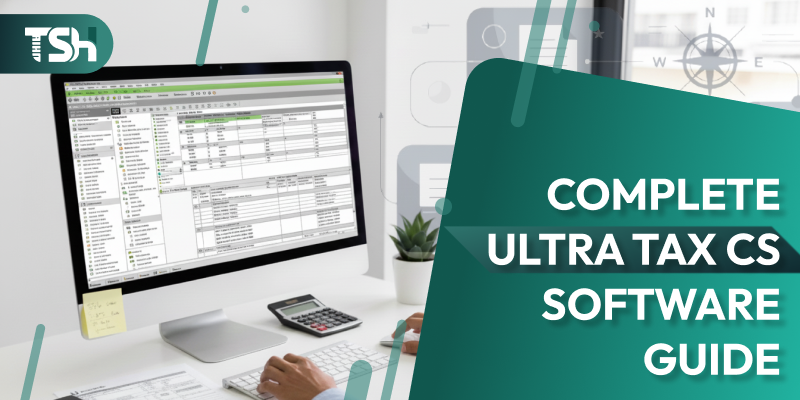
    When it comes to professional tax preparation software, UltraTax CS Tax Software by Thomson Reuters stands tall as one of the most trusted solutions in the accounting industry. Designed to meet the needs of CPAs, accountants, and tax professionals, it offers unmatched accuracy, compliance, and integration capabilities.

    In this detailed guide, we’ll cover what UltraTax CS is, explore its features, benefits, and pricing, and explain how hosting UltraTax CS on the cloud can transform your workflow. We’ll also discuss how to choose the right UltraTax hosting provider and address some frequently asked questions at the end.

    What is UltraTax CS Software?

    UltraTax CS Software is a robust, professional tax preparation solution developed by Thomson Reuters, a trusted global leader in financial and accounting technology. As part of the comprehensive CS Professional Suite, which includes tools like Accounting CS, FileCabinet CS, and Practice CS , UltraTax CS empowers tax professionals to seamlessly manage both individual and business tax returns. Whether used on local systems or through UltraTax CS Hosting The software ensures enhanced efficiency, secure remote access, and full compliance with federal and state tax regulations. It provides comprehensive support for:

    • Individual (1040) returns
    • Corporate (1120, 1120S) filings
    • Partnership (1065) returns
    • Fiduciary (1041) filings
    • Exempt organization (990) returns
    • State and local tax forms

    In essence, UltraTax CS streamlines the tax preparation process from start to finish; automating calculations, generating e-file-ready forms, and ensuring consistent data accuracy across client files.

    Features of UltraTax CS Software

    The features of UltraTax CS Software make it an all-in-one tax management system. Here are the key highlights that set it apart from traditional tax preparation tools:

    1. Comprehensive Tax Return Support

    UltraTax CS covers every type of federal, state, and local return imaginable. Whether you’re filing for individuals, corporations, partnerships, estates, or trusts, the software ensures that all calculations and forms meet IRS standards.

    2. Seamless Data Sharing within CS Suite

    As part of the Thomson Reuters CS Professional Suite, UltraTax CS integrates effortlessly with Accounting CS, Practice CS, FileCabinet CS, and Workpapers CS. This interconnected ecosystem minimizes redundant data entry and ensures consistency across your firm’s systems.

    3. Advanced E-Filing and Compliance Tools

    UltraTax CS simplifies electronic filing with the IRS and state agencies. It automatically validates return data, flags potential errors, and provides real-time updates on filing statuses. The compliance module ensures that every return is accurate and up-to-date with the latest tax law changes.

    4. Customizable Reports and Dashboards

    Users can generate detailed client reports, performance summaries, and productivity analytics. The dashboard view allows firms to track workload, filing status, and client communications in real-time.

    5. Multi-User Access and Collaboration

    Multiple users can work simultaneously on the same tax project without data conflicts. This is particularly useful for medium- to large-sized accounting firms, where collaboration and concurrent access are critical.

    6. Client Data Security and Backup

    UltraTax CS offers advanced security options, including password-protected files and role-based access controls. It also supports encrypted data storage and automated backup schedules.

    7. User-Friendly Interface

    Despite being a professional-grade solution, UltraTax CS provides a clean and intuitive interface. Accountants can easily navigate tax forms, quickly access client data, and perform batch operations with minimal effort.

    Benefits of UltraTax CS Software

    Adopting UltraTax CS Software brings several tangible benefits to tax professionals and accounting firms. Let’s break down the most important ones:

    1. Time Efficiency and Accuracy

    Automated processes replace manual data entry and repetitive calculations. UltraTax CS’s built-in validation tools reduce the risk of errors and missed deductions, ensuring accuracy in every return.

    2. Improved Client Management

    The software provides a centralized client database that stores all records, returns, notes, and communications in a single, organized, and accessible location. This enhances client service and reduces turnaround time during peak tax seasons.

    3. Integrated Workflow with Other Tools

    With its tight integration into Thomson Reuters’ ecosystem, UltraTax CS allows accountants to seamlessly transfer data between tax prep, accounting, and document management modules.

    4. Regulatory Compliance Made Easy

    UltraTax CS automatically updates with new tax laws, ensuring firms stay compliant without manual intervention. This reduces the risk of penalties and rework.

    5. Enhanced Productivity

    Batch processing, real-time validation, and streamlined workflows enable firms to handle more returns in less time. That directly translates into higher profitability.

    6. Scalability for Growing Firms

    Whether you’re a solo practitioner or a 50-member firm, UltraTax CS scales easily. It supports multi-user environments and remote access, making it adaptable to firms of all sizes.

    Host UltraTax CS on the Cloud

    While UltraTax CS is a robust desktop-based software, hosting it on the cloud unlocks its full potential in today’s remote-first world.

    Why Move UltraTax CS to the Cloud?

    By opting to host UltraTax CS on the Cloud, accounting firms can access their tax applications and client data from any device, anywhere, at any time. This eliminates the dependency on office systems and simplifies collaboration between teams and clients.

    Key Benefits of Cloud Hosting UltraTax CS

    1. Anywhere, Anytime Access – Work remotely or from multiple offices without worrying about local installations.
    2. Automatic Backups – Cloud providers ensure data redundancy with automated daily backups.
    3. Bank-Level Security – Cloud hosting comes with enterprise-grade security protocols, encryption, and firewalls.
    4. Faster Processing – Cloud servers often outperform local desktops, resulting in reduced file load times and improved workflow efficiency.
    5. Multi-User Collaboration – Multiple accountants can access duplicate tax files in real-time without conflicts or delays.
    6. 24/7 Technical Support – Most reliable UltraTax hosting providers offer round-the-clock support to resolve technical issues.

    Choose the Right UltraTax Hosting Provider

    Selecting the right hosting provider for your UltraTax CS software is crucial for performance, security, and reliability. Not all hosting companies are created equal, so keep these points in mind. Leading providers like Sagenext, TaxSoftwareHosting, Ace Cloud Hosting, and RightNetworks are known for offering secure, scalable, and high-performance UltraTax CS hosting solutions, making them strong options to consider during your evaluation process.

    1. Check for Security Compliance

    Your provider must adhere to strict data security standards, such as SOC 2, SSAE 18, and GDPR. Encryption during data transfer (SSL/TLS) and multi-factor authentication are must-haves.

    2. Data Center Quality

    Ensure the provider operates from Tier III or Tier IV data centers located in the U.S. with redundant power, cooling, and connectivity.

    3. Scalability and Performance

    As your firm grows, your hosting provider should allow you to easily upgrade server resources, such as RAM, storage, and CPU, without downtime.

    4. Dedicated Support

    Choose a provider that offers 24/7 support, especially during tax season when uptime is non-negotiable.

    5. Integration and Add-Ons

    Some hosting providers integrate UltraTax CS with add-ons like Microsoft Office, QuickBooks, and document management tools. This integration enhances productivity and convenience.

    6. Trial and Reviews

    Before committing long-term, request a free trial and read genuine customer reviews. Providers like Sagenext, Right Networks, and Ace Cloud Hosting are widely trusted for hosting UltraTax CS securely and efficiently.

    UltraTax CS Software Pricing

    UltraTax CS Software Pricing depends on the type of returns you file, the modules you choose, and the number of users. Thomson Reuters typically offers flexible pricing models based on firm size and specific requirements.

    Here’s a general breakdown:

    • Base License: Starts around $2,500–$3,000/year for a single user with individual federal and one state module.
    • Additional States/Modules: Each additional state or business return module may cost between $250 and $500.
    • Network Licensing: For multi-user access, additional costs apply per seat.
    • Cloud Hosting Add-On: When hosted through third-party providers, expect to pay an additional $50–$80 per user per month, depending on server specifications, security, and support level.

    Why UltraTax CS Remains a Top Choice for Tax Professionals

    UltraTax CS remains one of the most comprehensive tax software platforms available today. Its blend of automation, robust compliance tools, and cloud-ready flexibility makes it a powerhouse for firms that demand precision and peak performance. With modern tax software hosting, accountants can move far beyond the limitations of traditional desktop setups gaining faster turnaround times, enhanced team collaboration, and secure anytime-anywhere access to their work.

    For firms looking to modernize their tax operations in 2025, UltraTax CS on the cloud is not just an upgrade; it’s a strategic investment. Before making a purchase, compare UltraTax CS Software Pricing, evaluate your firm’s needs, and choose the right hosting provider to get the most out of this leading tax preparation solution.

    FAQs (Frequently Asked Questions)

    1. How much is UltraTax Software?

    The cost of UltraTax CS varies depending on the package and number of users. A single-user license with federal and one state modules generally starts around $2,500 to $3,000 annually. Additional modules and users increase the total cost. Cloud hosting adds around $50–$80 per user per month.

    2. What are the system requirements for UltraTax?

    UltraTax CS runs best on Windows 10 or 11 (64-bit) with at least:

    • Intel i5 or higher processor
    • 8 GB RAM (16 GB recommended)
    • 10 GB available disk space
    • Microsoft .NET Framework 4.8 or later
    • Stable broadband internet for updates and e-filing
      For network installations, ensure a Windows Server 2016 or newer environment.

    3. How to update UltraTax CS?

    To update UltraTax CS:

    1. Open the CS Connect utility within the software.
    2. Choose “Download UltraTax CS Updates.”
    3. Review and select the available updates.
    4. Click “Download and Apply.”
    5. Restart the software to finalize updates.
      It’s best practice to perform updates regularly to stay compliant with IRS changes and new form releases.

    4. What is UltraTax CS used for?

    UltraTax CS is used by accounting and tax professionals to prepare, review, and file federal and state tax returns for individuals, corporations, partnerships, estates, and trusts. It automates calculations, ensures compliance, and integrates with the Thomson Reuters CS Suite for complete practice management.

  • Federal Income Tax vs Payroll Tax: Understanding the Key Differences

    Federal Income Tax vs Payroll Tax: Understanding the Key Differences

    Taxes are an unavoidable part of working life, but few people truly understand what they’re paying for. When you receive your paycheck, you’ll notice multiple deductions; some for federal income tax, some for payroll tax. Both are required by law, but they serve very different purposes.

    If you’ve ever wondered “What is payroll tax?” or What is federal income tax?, you’re not alone. Many workers often confuse the two because they both come from the same paycheck. However, the federal income tax vs payroll tax comparison reveals distinct differences in how each is calculated, who pays them, and how the funds are used.

    In this blog, we’ll break down everything you need to know about federal income tax and payroll tax, including definitions, rates, purposes, and examples, so you can clearly see how they impact your earnings.

    What is Federal Income Tax?

    Federal income tax is a tax levied by the U.S. government on the annual earnings of individuals, corporations, trusts, and other legal entities. The amount you owe depends on your income level, filing status, and allowable deductions. For individuals, this tax is progressive, meaning higher earners pay a larger percentage of their income than lower earners. The tax rates are set by the Internal Revenue Service (IRS) and can change annually based on inflation adjustments and government policy.

    How Federal Income Tax Works

    When you earn money, your employer withholds a portion of your paycheck for federal income taxes based on the information you provide on your Form W-4. At the end of the year, you file a federal income tax return (Form 1040) to determine whether you’ve paid too much or too little.

    If you’ve overpaid, you’ll get a refund. If you’ve underpaid, you owe the amount of the difference.

    Uses of Federal Income Tax

    Revenue from federal income taxes funds a wide range of national programs, including:

    • Defense and national security
    • Education grants and student aid
    • Infrastructure and public transportation
    • Medicare and Medicaid (partially)
    • Federal employee salaries
    • Welfare and social programs

    What is Payroll Tax?

    Payroll tax refers to the taxes that employers withhold from employees’ wages to fund specific government programs, such as Social Security and Medicare. These taxes are separate from income taxes and are governed primarily by the Federal Insurance Contributions Act (FICA) and the Federal Unemployment Tax Act (FUTA). In other words, payroll tax ensures that workers contribute to social programs that they’ll later benefit from, such as retirement income and healthcare after retirement.

    Key Components of Payroll Tax

    1. Social Security Tax – This provides retirement, disability, and survivor benefits.
      • Rate: 6.2% for employees and 6.2% for employers (12.4% total).
      • Wage Base Limit (2025): Up to $168,600 in wages.

    2. Medicare Tax – These funds provide health insurance for individuals aged 65 and older, as well as for certain individuals with disabilities.
      • Rate: 1.45% for employees and 1.45% for employers (2.9% total).
      • Additional Medicare Tax: 0.9% for employees earning more than $200,000 (single) or $250,000 (married filing jointly).

    3. Federal Unemployment Tax (FUTA) – Paid solely by employers to fund unemployment benefits for workers who lose their jobs.
      • Rate: 6.0% on the first $7,000 of wages (with credits potentially reducing it to 0.6%).

    So, when we talk about the federal payroll tax rate, we’re primarily referring to the combined Social Security and Medicare contributions (7.65% for employees, 7.65% for employers).

    Payroll Tax vs Federal Income Tax: The Core Differences

    Aspect Federal Income Tax Payroll Tax
    Definition A tax on your total income paid to the federal government. A tax that funds Social Security and Medicare programs.
    Who Pays It? Employees and self-employed individuals (progressive rate). Both employers and employees share responsibility.
    Calculation Method Based on taxable income, deductions, and credits. Based on a fixed percentage of wages.
    Purpose To fund general government operations (defense, education, etc.). To fund Social Security, Medicare, and unemployment benefits.
    Rates Progressive (10%–37%) depending on income bracket. Flat rates (6.2% for Social Security, 1.45% for Medicare).
    Filing Filed annually through Form 1040. Automatically withheld from each paycheck by employers.
    Employer Contribution Not directly paid by employers for employees. Employers match the employee’s share of FICA taxes.

    What Are Income Taxes?

    Income taxes are broad-based taxes imposed on your earnings from wages, salaries, investments, and other sources. These can include:

    • Federal Income Tax
    • State Income Tax (in most states)
    • Local Income Tax (in some cities)

    The federal income tax is just one part of the broader “income tax” structure. Its rates are progressive, with different brackets for single filers, married couples, and heads of households. For example, If your taxable income is $60,000 as a single filer in 2025, you might fall into the 22% bracket. But that doesn’t mean you pay 22% on your entire income; only on the portion within that bracket. Lower portions are taxed at lower rates. This tiered structure makes federal income tax progressive, while the payroll tax remains flat.

    What Is Employment Tax?

    The term employment tax encompasses all taxes related to employee wages, including:

    1. Federal Income Tax
    2. Social Security and Medicare (FICA)
    3. Federal Unemployment (FUTA)

    Employers are responsible for withholding employment taxes from employee paychecks and remitting them to the IRS. They must also pay their share of Social Security, Medicare, and FUTA taxes. Employment tax is the umbrella term that includes both payroll tax and federal income tax.

    How to Calculate Payroll Tax

    Understanding how to calculate payroll tax helps both employees and employers anticipate deductions accurately.

    Here’s a simplified breakdown:

    1. Determine Gross Pay
      • Example: $4,000 per month.

    2. Calculate Social Security Tax
      • 6.2% of $4,000 = $248

    3. Calculate Medicare Tax
      • 1.45% of $4,000 = $58

    4. Add Employer’s Match
      • Employers pay an additional $248 (Social Security) + $58 (Medicare).

    Total Payroll Tax Contribution per Month:

    • Employee pays $306
    • Employer pays $306
    • Total: $612 contributed to FICA programs.

    If you earn more than $200,000, add the Medicare Tax of 0.9% on income above that threshold.

    Why Payroll Taxes Matter

    Payroll taxes play a crucial role in sustaining America’s social safety net. These taxes directly fund essential programs like Social Security and Medicare, ensuring they remain reliable for current and future generations. Without consistent payroll tax contributions, these programs would face significant financial strain and become unsustainable. For tax professionals using solutions such as UltraTax CS hosting, understanding the importance of payroll taxes is essential for accurate compliance and better client advisory.

    Benefits Funded by Payroll Taxes

    • Social Security Benefits: Retirement, disability, and survivor payments.
    • Medicare: Health coverage for seniors and specific disabled individuals.
    • Unemployment Insurance: Temporary support for jobless workers (funded via FUTA).

    So, while you may see payroll tax deductions as a burden, they serve as future security, both for you and the overall economy.

    Difference Between Payroll Tax and Income Tax

    Factor Payroll Tax Income Tax
    Tax Base Gross wages only (limited wage base for Social Security). All taxable income (wages, interest, investments, etc.).
    Rate Structure Flat rate (same for all employees). Progressive (based on income bracket).
    Payment Responsibility Split between employee and employer. Paid by the employee only (withholding based on W-4).
    Purpose Funds Social Security, Medicare, and unemployment. Funds general government programs and operations.
    Refund Eligibility No refunds (except overpayment errors). Refunds are possible when overwithheld.

    Why Understanding the Difference Matters

    Misunderstanding your taxes can lead to underpayment, missed deductions, or compliance issues. For employees, understanding the distinction between federal income tax and payroll tax is crucial for effective budgeting and tax planning. For employers, it ensures accurate payroll processing, correct reporting, and IRS compliance.

    Here’s why it’s important:

    • Avoid Penalties: Incorrect withholding can trigger IRS fines.
    • Plan Your Deductions: Knowing the split helps manage take-home pay.
    • Forecast Benefits: Payroll taxes contribute to future Social Security and Medicare benefits.

    Common Mistakes in Payroll and Income Tax Withholding

    1. Incorrect W-4 Information: Leads to over- or under-withholding of federal income tax.
    2. Ignoring State Taxes: Some states require separate income tax filings.
    3. Not Matching FICA Contributions: Employers must match employee payroll taxes precisely.
    4. Late Deposits: The IRS imposes heavy penalties for delayed employment tax payments.
    5. Misclassifying Employees: Independent contractors are responsible for their own payroll and income taxes.

    Final Thoughts

    The debate of federal income tax vs payroll tax isn’t about which one is “better”; it’s about understanding their purposes. Federal Income Tax supports the government’s day-to-day functions: defense, education, healthcare, and infrastructure. While Payroll Tax directly supports individuals through Social Security, Medicare, and unemployment benefits. Together, they form the backbone of America’s fiscal system. Knowing how they work ensures you’re financially informed, compliant, and prepared for both the present and the future.

    Federal income tax and payroll tax are both vital but serve distinct roles; one sustains national programs, and the other supports your future benefits. Understanding both helps you make smarter financial and employment decisions.

    FAQs (Frequently Asked Questions)

    Is payroll tax the same as federal income tax?

    No. Payroll tax funds Social Security and Medicare, while federal income tax funds general government programs. They are separate deductions with different purposes and rate structures.

    What are the three types of federal taxes?

    The three main types of federal taxes are:

    1. Federal Income Tax – Paid by individuals and businesses on earnings.
    2. Payroll (FICA/FUTA) Taxes – Shared by employers and employees for Social Security and Medicare.
    3. Corporate Taxes – Paid by businesses on their profits.
  • Top 5 Best Tax Software Hosting Providers in the USA (2025)

    Top 5 Best Tax Software Hosting Providers in the USA (2025)

    Tax professionals can’t afford downtime, slow performance, or data-loss risks, especially during peak season when every minute counts. With rising cybersecurity threats, increasing client demands, and the need for remote collaboration, more CPAs, accounting firms, bookkeepers, and tax preparers are turning to the cloud for stability and efficiency.

    Migrating desktop tax software such as UltraTax CS, Drake, Lacerte, ProSeries, ATX, TaxWise, CCH Axcess, and TaxSlayer Pro to the cloud has become the industry standard. Cloud hosting allows tax professionals to access their applications 24/7, collaborate with staff and clients from anywhere, improve data security, reduce IT costs, and eliminate on-premises maintenance.

    However, not all tax hosting providers are created equal. Your business needs more than just servers in the cloud, it needs enterprise-level reliability, bank-grade security, seamless performance, and real human support that’s available when you need it most. Choosing the wrong provider can lead to outages, security vulnerabilities, slow speeds, and lost productivity during critical filing periods.

    To help you select the best partner for your firm, we’ve highlighted the top 5 tax software hosting providers in the USA that consistently deliver value, security, and exceptional support.

    1. Sagenext

    Best for: CPAs, tax firms, accounting teams, multi-user access

    Sagenext Hosting is one of the most recognized names in the Accounting and tax software hosting industry. They offer robust cloud hosting for all major tax applications, including UltraTax CS, Drake Tax, Lacerte, ProSeries, ATX, and other people’s solutions.

    Key Features:

    • 99.999% uptime guarantee
    • 24/7/365 phone, chat, and email support
    • Highly secure SSAE-16 & SOC-compliant data centers
    • Multi-tier ransomware and disaster recovery protection
    • Scalable plans for small firms to large enterprises

    Why It Stands Out:

    Sagenext offers some of the fastest load times and the most reliable uptime in the industry. Their customer support is consistently rated among the best, with real technicians, not chatbots, available at all times.

    2. TaxSoftwareHosting.com

    A solid alternative with strong infrastructure and specialized tax-focused solutions.
    Key strengths:

    • Optimized hosting environments for UltraTax, ATX, Drake, Lacerte, and more
    • Multi-user collaboration features
    • Strong backup automation
    • Good pricing for small firms

    They aim specifically at tax professionals, which makes them more tailored than general cloud providers.

    3. RightWorks (formerly Right Networks)

    A well-known brand with a massive user base and enterprise-grade systems.
    What they offer:

    • Reliable hosting infrastructure
    • Integration with dozens of accounting add-ons
    • Strong security stack
    • Good for firms scaling to larger teams

    Downside: usually more expensive and less flexible for customization.

    4. Ace Cloud Hosting (AceCloud)

    AceCloud is popular for its premium customer service and solid infrastructure.
    Why they’re on the list:

    • Good performance and uptime
    • Strong user access controls
    • 24/7 support
    • HIPAA- and SOC-compliant data centers

    They charge higher than average but deliver a polished service.

    5. V2Cloud

    Not purely tax-focused but still a capable DaaS (Desktop-as-a-Service) provider.
    Highlights:

    • Simple virtual desktop experience
    • Fast setup
    • Good performance for remote teams
    • Reasonable pricing

    It’s not as specialized as the others, but firms needing generic cloud desktops will find it useful.

    How to Choose the Best Tax Software Hosting Provider

    When evaluating cloud hosting providers, tax professionals should consider the following critical factors:

    1. Uptime & Performance

    During tax season, downtime is catastrophic. Choose a provider with:

    • Minimum 99.99% uptime
    • Fast load times
    • Multi-server redundancy

    2. Security & Compliance

    Your hosting provider must follow industry-leading standards like:

    • SOC 1 / SOC 2 compliance
    • Multi-factor authentication (MFA)
    • End-to-end encryption
    • Ransomware protection
    • Automated backups + disaster recovery

    3. 24/7 Human Support

    Tax professionals work beyond 9–5. You need real humans available:

    • Nights
    • Weekends
    • Holidays
    • Peak tax season

    4. Application Compatibility

    Your provider should support all popular software:

    • UltraTax CS
    • Drake Tax
    • ProSeries
    • Lacerte
    • ATX, TaxWise
    • QuickBooks, Sage
    • CCH Axcess

    5. Scalability

    As your firm grows, your hosting should grow with you:

    • Add users anytime
    • Add storage instantly
    • Choose shared or dedicated hosting

    6. Remote Access

    Cloud hosting should allow you to:

    • Work from anywhere
    • Collaborate with team members
    • Access data securely from any device

    Final Thoughts

    Your tax business relies on accuracy, speed, and reliability, qualities only the best hosting providers can guarantee. Whether you’re a solo CPA, a growing accounting practice, or a nationwide tax preparation company, choosing the right cloud hosting partner is crucial.

    The tax software hosting providers listed above offer a combination of security, performance, and expert support that can dramatically improve your workflow, reduce downtime, and enhance client satisfaction.

  • Understanding IRS Publication 4557: A Complete Guide to Safeguarding Taxpayer Data 2025

    Understanding IRS Publication 4557: A Complete Guide to Safeguarding Taxpayer Data 2025

    In the current digital landscape, where tax professionals heavily rely on electronic systems to manage sensitive financial information, IRS Publication 4557 serves as a crucial resource for protecting taxpayer data. This document isn’t just a formality; it’s a roadmap designed to help tax preparers, accounting firms, and anyone handling taxpayer information maintain strict data security standards.

    In this blog, we will break down IRS Publication 4557, its importance, and the key guidelines you need to follow to ensure compliance and protect client data.

    What is IRS Publication 4557?

    IRS Publication 4557, officially titled “Safeguarding Taxpayer Data – A Guide for Your Business”, is a detailed guide issued by the Internal Revenue Service (IRS) to help tax professionals and businesses protect confidential taxpayer information. It provides step-by-step data security recommendations, emphasizing the importance of securing both physical and digital records. The goal is to prevent unauthorized access, data breaches, identity theft, and financial fraud.

    Essentially, IRS Publication 4557 outlines the IRS’s expectations for data protection within tax practices. Whether you’re a CPA, enrolled agent, or independent preparer, compliance with these guidelines isn’t optional; it’s your legal and ethical responsibility.

    Purpose of IRS Publication 4557

    The IRS developed this publication in collaboration with the Security Summit Initiative, a partnership between the IRS Tax, state tax agencies, and private-sector tax professionals. The purpose is to reduce the risk of taxpayer data theft and identity fraud. Publication 4557 guides preparers in understanding how to identify, prevent, and respond to security threats. It covers everything from strong password management to creating an incident response plan in the event of a breach.

    Key Areas Covered in IRS Publication 4557

    Here’s a closer look at the IRS Publication 4557 safeguarding taxpayer data guidelines that every tax professional should follow:

    1. Creating a Data Security Plan

    Every tax professional is required to have a Written Information Security Plan (WISP) under the FTC’s Safeguards Rule. Publication 4557 reinforces this by explaining how to build and implement a plan tailored to your business’s size and risk level.

    Your plan should include:

    • How data is collected, stored, and share
    • Security policies for staff and contractors
    • Access control and authentication procedures
    • Steps for responding to data breaches

    2. Secure Your Systems and Networks

    The IRS emphasizes the importance of securing both hardware and software systems. This includes:

    • Installing firewalls and antivirus software
    • Using multi-factor authentication (MFA)
    • Encrypting sensitive files and email communications
    • Regularly updating systems and applications.

    3. Protect Physical Records

    While cybersecurity often dominates conversations, physical security remains just as important.

    Publication 4557 directs tax professionals to:

    • Lock file cabinets and offices containing sensitive data
    • Limit employee access to taxpayer information.
    • Use shredders or professional destruction services for old documents.

    4. Manage Employee and Third-Party Access

    Employee negligence is one of the most common causes of data breaches. IRS Publication 4557 recommends:

    • Conducting background checks on employees
    • Providing regular training on phishing, scams, and data handling
    • Limiting access only to staff who need specific information

    5. Implement Strong Password and Authentication Policies

    Passwords remain a simple yet critical line of defense.
    The IRS advises:

    • Using at least 12-character passwords
    • Mixing uppercase, lowercase, numbers, and symbols
    • Avoiding reuse of old passwords
    • Enabling multi-factor authentication (MFA) wherever possible

    6. Encrypt and Back Up Data Regularly

    Encryption is mandatory under the IRS Publication 4557 recommendations for safeguarding taxpayer data. Encrypting taxpayer data ensures that even if cybercriminals access your files, they can’t read them without the decryption key. Additionally, make regular, encrypted backups of all client data and store them securely offsite or in a trusted cloud environment. This safeguards against data loss due to ransomware or hardware failure.

    7. Stay Alert Against Phishing and Social Engineering

    Phishing remains the top threat to tax professionals. Publication 4557 emphasizes the importance of vigilance:

    • Never click suspicious links or open unknown attachments
    • Verify sender details before responding to requests.
    • Report suspicious emails to the IRS’s phishing team.

    8. Report and Respond to Data Breaches

    If a data breach occurs, Publication 4557 instructs tax professionals to take immediate action. The steps include:

    1. Stop further data loss by isolating affected systems.
    2. Notify law enforcement and report the incident to the IRS Stakeholder Liaison.
    3. Contact your insurance provider (if applicable).
    4. Inform affected taxpayers about the breach and potential risks.

    IRS Publication 4557 PDF and Access

    You can access the official IRS Publication 4557 PDF directly from the IRS website. The document is available for free download and is regularly updated to reflect new security threats and evolving compliance standards. Always ensure you’re using the latest version of the publication to stay compliant with the most current IRS and FTC requirements.

    Benefits of Following IRS Publication 4557 Guidelines

    Implementing the IRS 4557 guidelines goes beyond compliance; it strengthens your business reputation and safeguards your clients’ trust.

    Here are the key benefits:

    • Reduced risk of data theft and fraud
    • Enhanced client confidence in your services
    • Compliance with federal data protection laws
    • Avoidance of penalties and legal liabilities
    • Increased resilience against cyberattacks

    IRS Publication 4557 Safeguarding Taxpayer Data in the Cloud

    As many tax professionals migrate to digital platforms, cloud hosting plays a significant role in data protection. Cloud environments, especially those designed for accounting and tax applications, provide Encrypted data storage, Real-time backups, Controlled access, and Multi-layer authentication. 

    However, it remains your responsibility to ensure that your cloud hosting provider fully complies with IRS and FTC security standards. For example, solutions such as QuickBooks, Drake, or Lacerte, when supported by secure cloud environments like drake tax software hosting, help maintain IRS Publication 4557 compliance while delivering seamless and convenient remote access.

    Practical Steps for Compliance

    Here’s a simplified checklist inspired by IRS Publication 4557:

    Develop a written data security plan (WISP)
    Install and maintain firewalls and antivirus protection.
    Use encrypted cloud storage for taxpayer data.
    Train employees on data security practices.
    Regularly update passwords and enable MFA.
    Shred physical documents before disposal.
    Back up data regularly and test recovery plans
    Report any data breach immediately.

    Concluding Lines

    IRS Publication 4557 isn’t just a recommendation; it’s an essential compliance guide for every tax professional. As cyber threats evolve, adhering to these guidelines helps ensure you’re safeguarding sensitive taxpayer information and maintaining trust in your business. By taking data protection seriously, you not only protect your clients but also safeguard your professional reputation and legal standing.

    If you’re a tax professional, IRS Publication 4557 should be the foundation of your data protection strategy. By following its guidelines, you not only comply with federal regulations but also establish a secure and trustworthy tax practice that is prepared for the digital age.

    FAQs (Frequently Asked Questions)

    1. What Publication 4557 Requires You to Do?

    IRS Publication 4557 requires tax professionals to develop, implement, and maintain a data security plan that safeguards taxpayer information. This includes securing both electronic and paper files, training employees, encrypting data, and responding promptly to any data breaches or incidents that may occur.

    2. Who Needs to Comply with IRS Publication 4557?

    All tax preparers, CPAs, enrolled agents, and accounting firms that handle taxpayer information must comply with IRS Publication 4557. Essentially, anyone who prepares or stores tax data, whether electronically or in physical form, is responsible for safeguarding it under these guidelines.

    3. What Else Does Publication 4557 Focus On?

    In addition to cybersecurity, Publication 4557 also focuses on employee training, physical document protection, secure storage, and incident response. It provides comprehensive guidance for managing security risks across both digital and traditional environments.

    4. What is Publication 4557 Safeguarding Taxpayer Data?

    Publication 4557 Safeguarding Taxpayer Data is an official IRS guide outlining best practices for protecting taxpayer information from unauthorized access, identity theft, and data breaches. It helps tax professionals understand their legal responsibilities and implement secure data-handling procedures.

  • ATX Tax Software: A Complete Guide for Tax Professionals 2025

    ATX Tax Software: A Complete Guide for Tax Professionals 2025

    In the current accounting scenarios, efficiency, accuracy, and reliability are everything. Whether you’re an independent tax preparer, CPA, or managing a full-fledged accounting firm, having dependable tax preparation software is a non-negotiable part. ATX Tax Software has long been one of the most popular tools for U.S. tax professionals, recognized for its comprehensive compliance and user-friendly interface.

    In this blog, we will provide you with an in-depth look at ATX Tax Software, covering its core features, pros, cons, pricing, and how ATX Cloud Hosting enhances its accessibility and performance.

    What Is ATX Tax Software?

    ATX Tax Software is a professional tax preparation solution developed by Wolters Kluwer, a global leader in tax and accounting technology. The platform is designed for accounting professionals, CPAs, and tax firms who handle multiple clients and complex tax filings. ATX stands for “Advanced Tax eXperience”, which aims to deliver a simplified, automated, and accurate tax preparation process. It supports a vast range of federal, state, and local tax forms, making it especially useful for firms serving clients across multiple jurisdictions.

    ATX’s intuitive interface allows even mid-level preparers to efficiently manage individual and business returns without getting bogged down in complicated menus. From e-filing and form calculations to error diagnostics and compliance tools, ATX provides a comprehensive tax preparation environment.

    Key Features of ATX Tax Software

    The success of ATX is attributed to its enhanced features. Below are the key ATX Tax Software features that set it apart from competitors:

    1. Extensive Forms Library

    ATX is renowned for its extensive tax form library, which encompasses over 6,000 forms across federal, state, and local jurisdictions. Whether you’re preparing individual returns (1040), partnerships (1065), corporations (1120/1120S), or fiduciary returns (1041), ATX has you covered.

    This vast coverage ensures compliance with even the most niche or region-specific filings, saving professionals hours of manual form tracking.

    2. Built-in E-Filing System

    The integrated e-filing capability allows you to file both federal and state returns electronically. The system includes an automatic validation tool that checks for common errors before submission, reducing rejection rates and streamlining your workflow.

    3. Real-Time Error Checking

    ATX provides real-time diagnostics that flag inconsistencies or incomplete data as you enter information. This proactive feature significantly reduces rework and client callbacks.

    4. Client Manager Dashboard

    Managing multiple clients during peak tax season can get overwhelming. ATX’s client management dashboard streamlines tracking, organizing, and filtering returns by client, form type, or filing status; all from a single screen.

    5. Integrated Research Tools

    ATX includes research integration with the CCH AnswerConnect database. This enables preparers to access authoritative tax references, IRS updates, and compliance guides directly within the software.

    6. Bank Product Integration

    For professionals offering refund transfers or refund anticipation loans, ATX integrates directly with popular financial partners to streamline banking processes securely.

    7. Customizable Data Entry

    The data entry screen in ATX mirrors the IRS form layout, making it intuitive for preparers already familiar with paper forms. You can also customize fields, templates, and input preferences for faster processing.

    8. Reporting and Analytics

    ATX offers pre-built and customizable reports for client summaries, e-file tracking, billing, and performance analytics. This provides firms with valuable insights into their workloads and profitability.

    9. Security and Compliance

    Since tax data is highly sensitive, ATX includes multi-level user access controls, password protections, and automatic backups to safeguard client data.

    10. ATX Cloud Hosting Compatibility

    One of the significant enhancements for today’s remote-first work environments is ATX Cloud Hosting. It allows you to host the desktop software on secure cloud servers, making it accessible from anywhere, at any time, with all the same features and performance.

    ATX Tax Software Pros and Cons

    Every software comes with strengths and trade-offs. Understanding the pros and cons of ATX software will help you make an informed decision.

    Pros

    Cons

    Compared to competitors like ProSystem fx or Lacerte, ATX offers a significantly more affordable entry point without compromising on professional features. While simple to use overall, more advanced configurations, such as custom templates or batch e-filing, can take time to master.
    ATX’s expansive form library is one of the best in the market, covering virtually every federal, state, and local tax requirement. Annual software updates may require a complete reinstallation, which can disrupt workflow if not correctly planned.
    Wolters Kluwer offers online resources, chat support, and phone assistance for troubleshooting and updates, particularly during tax season. On large datasets or heavy returns, some users report occasional lag or crashes, especially when running on older PCs with inadequate RAM.
    Unlike some complex enterprise tools, ATX is built with usability in mind. The form-based layout mirrors IRS documents, which makes onboarding new staff easier. Unlike all-in-one accounting suites, ATX focuses purely on tax preparation and doesn’t include client billing, CRM, or scheduling modules.
    The built-in validation tools are highly effective at catching missing data, ensuring your filings are accurate before submission. ATX is primarily desktop-based, so it lacks some real-time collaboration tools found in pure SaaS tax solutions; unless paired with ATX Cloud Hosting.
    Through ATX Cloud Hosting, users can run the complete desktop application remotely, eliminating installation issues and enabling collaboration between distributed teams.
    It handles individuals, partnerships, corporations, estates, and nonprofits, making it suitable for diverse client portfolios.

    ATX Tax Software Pricing Plan

    ATX Tax Software price varies depending on the version and package you select. Exact pricing can change annually, but as of recent updates:

    • ATX 1040 Package: around $700–$900 per year.
    • ATX Advantage: approximately $1,500–$2,000 per year.
    • Pay-Per-Return: roughly $400 base license + $10–$15 per return.

    Additionally, when you pair ATX with cloud hosting, you’ll typically pay an additional monthly hosting fee (usually $30–$60 per user).

    Who Should Use ATX Tax Preparation Software

    ATX Tax Preparation Software caters primarily to small and mid-sized accounting firms, independent CPAs, and tax service providers. It’s particularly beneficial for:

    • Tax professionals managing a mix of individual and small-business clients.
    • Firms that prioritize accurate compliance and prefer form-driven interfaces.
    • Preparers need access to a wide range of state and local forms.
    • Professionals who want to move to the cloud affordably with ATX Cloud Hosting.

    ATX Cloud Hosting: The Modern Upgrade

    While ATX is a desktop-based application, the fundamental transformation happens when it’s hosted in the cloud. ATX Cloud Hosting enables you to run the software on virtual cloud servers, providing the flexibility of a web-based solution without compromising the full power of the desktop app.

    Here’s why more firms are migrating to the cloud version:

    1. Remote Accessibility

    Host ATX on a virtual desktop and access it from anywhere, on Windows, Mac, or mobile devices, without requiring local installation. This enables hybrid and remote tax teams to collaborate seamlessly.

    2. Enhanced Data Security

    Reputable hosting providers offer bank-level encryption, multi-factor authentication, and 24/7 data monitoring, which is far more secure than local desktops.

    3. Automatic Backups

    With cloud hosting, all your tax files and client data are backed up daily. You never risk data loss from hardware crashes or accidental deletions.

    4. Multi-User Collaboration

    Multiple preparers can work on the same client data simultaneously in real-time. The system manages concurrent sessions without file corruption or version conflicts.

    5. Scalability

    You can add or remove users instantly as your firm grows or during peak tax season. There’s no need for new installations or hardware upgrades.

    6. Reduced IT Burden

    Cloud hosting eliminates the hassle of manual updates, patch installations, and server maintenance. The provider handles all technical operations, letting you focus on tax work.

    7. Integration with Other Tools

    Many cloud environments support integration with other accounting and productivity tools, such as QuickBooks, Drake, or Microsoft Office.

    Popular providers like Sagenext, Ace Cloud Hosting, and Right Networks specialize in hosting tax software, such as ATX, offering tailored solutions for accounting firms with U.S. data centers and 24/7 support.

    ATX Tax Software vs. Other Tax Platforms

    When comparing ATX with other professional tax software such as Drake Tax, Lacerte, or UltraTax, ATX stands out for its balance of affordability and comprehensiveness.

    Feature ATX Tax Software Drake Tax Lacerte UltraTax CS
    Interface Form-based, user-friendly Menu-driven Complex Advanced
    Form Coverage 6,000+ 3,000+ 5,000+ 4,000+
    Cost Moderate Lower Higher Higher
    Cloud Support Via Hosting Native/Hosting Hosting Hosting
    Best For Small & mid firms Budget preparers Large firms Advanced users

    Tips to Get the Most Out of ATX Tax Software

    • Use Cloud Hosting for Speed and Flexibility

      Hosting ATX in the cloud reduces performance lag and enables remote collaboration.

    • Stay Updated

      Always install the latest annual and interim updates from Wolters Kluwer to ensure compliance with new tax codes.

    • Customize Templates

      Personalize frequently used forms and client letters to save time during the busy season.

    • Utilize the Research Integration

      Don’t overlook the built-in access to CCH AnswerConnect; this feature alone can save hours of manual research.

    • Train Your Staff

      ATX provides training videos and resources. Proper onboarding helps avoid errors and improves efficiency.

    Conclusion

    ATX Tax Software has earned its reputation as one of the most dependable professional tax preparation solutions for small and medium-sized accounting firms. Its massive form library, intuitive interface, and comprehensive compliance tools make it a solid investment for any tax practice. While it’s primarily a desktop tool, integrating it with ATX Cloud Hosting takes it to the next level, providing remote accessibility, stronger data security, and simplified collaboration.

    If you’re searching for a tax preparation solution that blends affordability, reliability, and professional-grade performance, ATX deserves serious consideration. With the proper setup and hosting environment, it can easily become the backbone of your firm’s tax operations, season after season.

    FAQs (Frequently Asked Questions)

    How do I download ATX tax software?

    Follow the steps to download ATX tax software:

    Step 1: Go to the website: https://support.atxinc.com/

    Step 2: Log in with your credentials. To download ATX tax software, you need to log in to your account. 

    Step 3: After logging in, navigate to the Download Tab and click on it

    Step 4: Now, choose the year and product you need. 

    Step 5: Now, click on the download option located under the download heading. Your download should start successfully. 

    How much does ATX tax software cost?

    ATX software cost starts around $700 per year. However, if you choose TaxSofwareHosting ATX software tax hosting, you can opt for a more affordable annual plan that includes three months of additional usage at no extra cost. 

    What is the most used tax software?

    There are many options available on the market, but TurboTax and TaxSlayer stand out due to their features and options. 

    What are the key features of ATX Tax Software?

    • Remote accessibility
    • Robust security
    • Multiple user option
    • Real-time team collaboration
    • Automatic backup plans
    • Scalable solutions
    • Many integration flexibility

    How does ATX compare to other tax software like Drake or ProSeries?

    These various types of tax software have their own distinct features and functionalities. Refer to our table of comparison to understand the difference. 

    Can I integrate ATX with QuickBooks?

    Yes, you can integrate ATX with QuickBooks through a cloud hosting provider like TaxSoftwareHosting, Sagenext and Rightwork. We offer end-to-end, reliable, and affordable hosting plans.

  • TurboTax vs TaxSlayer: Which Tax Software Is Right for You?

    TurboTax vs TaxSlayer: Which Tax Software Is Right for You?

    When it comes to filing taxes, choosing the right software can make all the difference in how smoothly the process goes. Two popular options that taxpayers often compare are TurboTax and TaxSlayer. Both platforms offer convenient online filing, but they differ in pricing, features, support, and user experience. In this blog, we’ll break down TurboTax vs TaxSlayer to help you decide which one fits your needs best.

    What is TurboTax

    TurboTax, developed by Intuit, is one of the most widely used tax filing solutions in the U.S. Known for its intuitive design and guided filing process, TurboTax is ideal for people who want a step-by-step approach with plenty of explanations along the way.

    Key Highlights of TurboTax

    • Extremely user-friendly interface with interview-style questions.
    • Built-in accuracy checks to reduce errors.
    • Strong audit support and access to professional tax experts (via TurboTax Live).
    • Ideal for complex tax situations like investments, rental properties, or self-employment.

    What is TaxSlayer

    TaxSlayer is a more budget-friendly alternative that offers powerful features without a hefty price tag. It’s particularly popular among self-employed individuals and those comfortable doing their own taxes with minimal hand-holding.

    Key Highlights of TaxSlayer

    • Lower cost compared to TurboTax.
    • Includes all major IRS forms and schedules.
    • Great option for simple to moderately complex returns.
    • Offers a Self-Employed package with tax advice tailored to freelancers, contractors, and gig workers.

    Ease of Use

    TurboTax: Designed like an interview. It asks questions in plain English and fills out the right forms for you. Great for beginners.

    TaxSlayer: Straightforward but less hand-holding. Better suited for people comfortable with tax forms.

    Who Should Use Each?

    TurboTax is best for

    • First-time filers who need guidance.
    • People with complex returns (investments, rental income, business ownership).
    • Those willing to pay more for peace of mind and expert help.

    TaxSlayer is best for

    • Budget-conscious taxpayers.
    • Freelancers, gig workers, and side hustlers who want affordable self-employment tax solutions.
    • Experienced filers who don’t need step-by-step guidance.

    Conclusion

    Choosing between TurboTax and TaxSlayer ultimately comes down to balancing your budget against your need for guidance. For tax professionals relying on robust solutions, remember that the reliability of your service often depends on your Tax Software Hosting environment. If you are a first-time filer, have highly complex investments, or simply value a premium, hand-holding experience, TurboTax is the clear winner, justifying its higher price with its exceptional ease of use and expert support options.

  • How to View Paystubs on Thomson Reuters?

    How to View Paystubs on Thomson Reuters?

    Managing payroll and accessing pay-related documents has become easier with digital platforms like Thomson Reuters. Employees and businesses often rely on it for secure financial records, including paystubs.

    Simple Steps Guide: View Paystubs on Thomson Reuters

    Step. 1: Log in to Your Account

    Go to the Thomson Reuters login page and enter your registered username and password. Make sure you are using the correct credentials provided by your employer or payroll administrator.

    Step. 2: Navigate to the Payroll Section

    Once logged in, head to the Payroll or Employee Self-Service (ESS) dashboard. This is where you can find all payroll-related documents.

    Step. 3: Select Paystubs/Pay Statements

    Click on the Paystubs or Pay Statements option. Here, you’ll see a list of your past and current pay records.

    Step. 4: View or Download

    Choose the pay period you want to view. You can either open it online for a quick check or download the PDF copy for your personal records.

    Step. 5: Contact Support if Needed

    If you face login issues or cannot find your paystubs, reach out to your company’s HR or the Thomson Reuters support team for assistance.

    Looking for reliable tax software hosting? Visit our website and get secure hosting at the most affordable price.

    Conclusion

    Accessing your paystubs on Thomson Reuters is quick, secure, and convenient. With just a few clicks, you can keep track of your earnings, deductions, and taxes—all in one place.

  • MilTax vs TurboTax: Which Tax Filing Option is Right for You?

    MilTax vs TurboTax: Which Tax Filing Option is Right for You?

    Filing taxes is a responsibility that comes around every year, and for many people, it can feel like a complicated and overwhelming task. From gathering forms and documents to understanding IRS rules and finding credits or deductions, the process can be stressful. Thankfully, tax filing software has made it easier for individuals, families, and businesses to prepare their returns.

    But for military service members, veterans, and their families, the options can look a little different. Two popular names that often come up in conversations are MilTax and TurboTax. While TurboTax is a widely known commercial tax software used by millions, MilTax is a specialized program created exclusively for the military community.

    If you’re wondering which one is best for you—MilTax or TurboTax—this detailed guide will walk you through everything you need to know, including features, costs, usability, pros, and cons.

    What is MilTax?

    MilTax is a free tax preparation and filing service offered by the Department of Defense (DoD) through Military OneSource. It’s specifically designed to support active-duty service members, members of the National Guard and Reserve, veterans, and their families.

    Key highlights of MilTax:

    • Free to use with no hidden charges
    • Covers all state and federal tax returns
    • Tailored to military life situations (deployments, combat pay, PCS moves, housing allowances, etc.)
    • Offers tax consultants who understand the unique needs of the military community

    Essentially, MilTax is more than just software—it’s a support system built with the military lifestyle in mind.

    What is TurboTax?

    TurboTax is one of the most popular commercial tax preparation software programs in the United States, developed by Intuit. It offers an easy-to-use platform with step-by-step guidance, multiple plan tiers, and the option to upgrade for live help from CPAs or enrolled agents.

    Key highlights of TurboTax:

    • Offers both free and paid versions
    • Known for user-friendly navigation and simple Q&A format
    • Supports a wide range of tax situations (from simple W-2 filings to complex self-employment income)
    • Provides add-ons like audit defense and live expert advice
    • Strong integration with other Intuit products like QuickBooks

    TurboTax is designed for the general public but also offers discounts and special support for military members.

    Cost Comparison: MilTax vs TurboTax

    One of the biggest differences between these two platforms is cost.

    MilTax:

    • 100% free for federal and state returns.
    • No additional charges, regardless of complexity.

    TurboTax:

    • Free version available, but only for very simple tax returns.
    • Deluxe, Premier, and Self-Employed plans range from $69 to $129+, plus additional fees for state returns.
    • Military discounts are sometimes offered but do not always cover every feature.

    👉 If cost is your main concern, MilTax wins hands down.

    Ease of Use and User Experience

    TurboTax:

    TurboTax is famous for its user-friendly interface. It uses a Q&A style process where you answer questions in plain language, and the software automatically fills out your tax forms. It also has a mobile app, making it convenient to file on the go.

    MilTax:

    MilTax is functional and straightforward but may not feel as polished as TurboTax. It’s not as widely marketed, so some users might find the navigation less intuitive. However, it’s tailored specifically for military tax situations, which makes it more relevant for service members.

    👉 For design and ease of use, TurboTax has the edge, but MilTax is still a solid option for those familiar with online filing.

    Features and Capabilities

    MilTax

    • Tailored guidance for combat pay, housing allowances, deployment, and PCS moves
    • Ability to handle multiple state returns at no extra cost
    • Access to military-specific tax consultants for free
    • Covers unique situations like tax-free zones and military benefits

    TurboTax

    • Extensive features for both simple and complex tax situations
    • Add-ons for investments, rental properties, and self-employment income
    • Live expert help (paid add-on)
    • Integration with QuickBooks and Mint for those who manage business or personal finances through Intuit products

    👉 If you’re military, MilTax is customized for your situation. But if you have additional non-military complexities (like self-employment, big investments, or rental properties), TurboTax may offer broader support.

    Pros and Cons: Side-by-Side

    MilTax Pros

    • Free for all military members and veterans
    • Covers all state and federal returns
    • Specialized for military tax situations
    • Free access to military tax consultants

    MilTax Cons

    • Less polished interface compared to TurboTax
    • Limited features for non-military situations
    • Not as widely known or advertised

    TurboTax Pros

    • Very easy to use with a sleek interface
    • Great for a wide range of taxpayers (from simple to complex returns)
    • Access to professional support (with paid versions)
    • Works well with Intuit products like QuickBooks

    TurboTax Cons

    • Can be expensive, especially for more complex returns
    • Free version is very limited
    • Military discounts don’t always cover all features

    Which One Should You Choose?

    The right choice depends on your tax situation and background:

    • If you are active-duty military, National Guard, a Reservist, or a veteran → MilTax is the clear winner. It’s free, secure, and built for your unique needs.
    • If you are a civilian with complex income sources like self-employment, rentals, or large investments → TurboTax may be better because of its flexibility and advanced features.
    • If you are a military member with complex non-military financial activities → You may want to use TurboTax with a military discount, but weigh the costs carefully.

    Final Thoughts

    When it comes to MilTax vs TurboTax, the choice is all about who you are and what your tax needs look like.

    MilTax: Best for military members and their families. It’s free, reliable, and tailored to military life.

    TurboTax: Best for civilians or anyone with complex, non-military financial situations. It’s user-friendly and powerful but comes with a higher price tag.

    At the end of the day, both platforms are excellent tools. If you qualify for MilTax, it’s worth trying first because you get professional-level support at no cost. If you find your situation too complex, TurboTax is always there as a reliable alternative.